

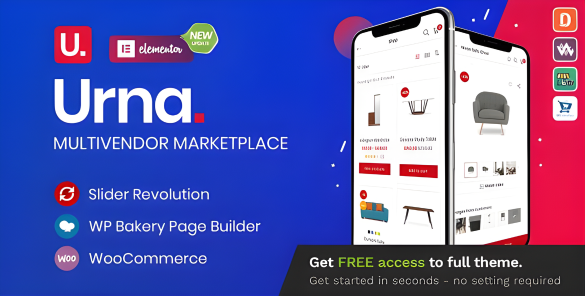
Urna is a flexible and customizable WooCommerce Multi-Store WordPress Theme that installs and changes any item in a matter of minutes via Powerful Theme Options. Urna is the best our premium theme, so surely you will be satisfied with it.
Urna rocks a handy mobile menu which will take your shoppers to their desired product effortlessly. In total, you receive a whopping three hundred pages and get to benefit from the one-click demo content import. Enjoy the multiple contents now and have an eCommerce page up in close to no time. You can create an excellent outcome that will drive your sales and help you grow your business to a new degree.
Urna can be used for a variety of purposes, specially built store for the Fashion, Furniture, Electronics,… Urna is fully compatible with all SEO standards helping your business have a high search on Google Search. Each page of Urna is fully compliant, so it can be viewed easily regardless of different screen devices such as desktops, tablets and mobile phones. All that makes your customers have an enjoyable shopping experience.
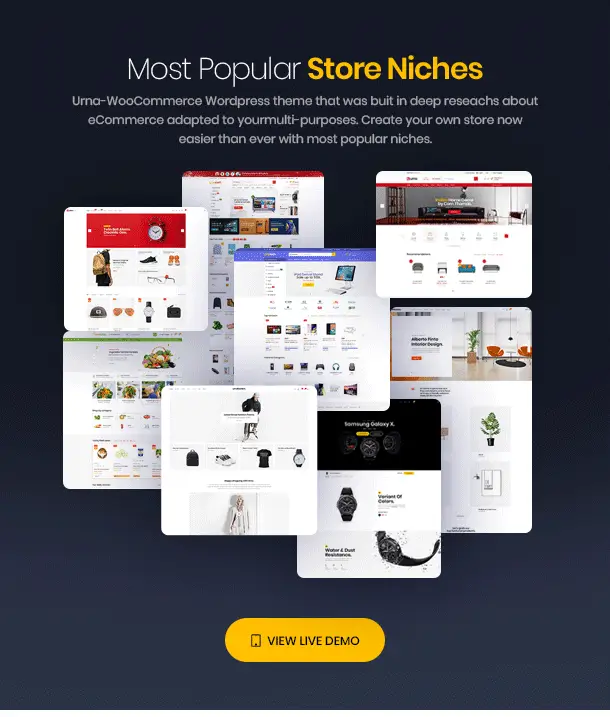
Urna is high quality and intelligent design that comes with 24+ different demos that will give you a great choice. You will easily find the best for your purpose without spending too much time.
Urna Theme WordPress Features
- 3 Mini Cart positions
- Product Video supported
- 3 Marketplace Demos
- WOOF – WooCommerce Products Filter 2.1.x Ready
- WooCommerce Photo Reviews supported
- Instagram Element supported
- MailChimp For WordPress supported
- Support search by SKU product
- Products carousel, latest posts carousel
- Revolution Slider 6.0 Ready
- Flexible Theme Options
- Catalog mode
- SEO Optimized
- Product Wishlist supported
- WPBakery Page Builder 6.0 Ready
- WooCommerce Recently Viewed supported
- One Click Demo Installation
- Product Compare supported
- Custom CSS & JS in Theme Settings
- Optimize design for mobile
- Grid view and list view for shop page
- High Speed & Performance
- RTL Language Support
- Search Product AJAX supported
- Modern minimalist design
- WordPress 5.2 Ready
- 29 different demos
- WooCommerce Currency Switcher supported
- Product Countdown supported
- Error 404 page included
- Compatible with Dokan and WC Marketplace
- Product Quick View supported
- Product Size Guide supported
- Social icon links
- WooCommerce Flash Sale supported
- Mega main menu
- Customized for Online Store
- Cross Browser Compatible
- Powered by Redux framework
- WooCommerce 3.7 Ready
- Free Lifetime Updates
Download Urna WordPress Theme
Download GoStore WP ThemeWe do not provide any guarantees regarding viruses in themes, plugins, or scripts. Please scan them with VirusTotal before using them on your local host.
How to Install Wordpress Themes
- Begin by downloading the theme.zip file from the source onto your local computer.
- From your WordPress Administration area, head to Appearance > Themes and click Add New
- The Add New theme screen has a new option, Upload Theme
- The theme upload form is now open, click Choose File, select the theme zip file on your computer and click Install Now.
How to install WordPress Themes using FTP
- Launch Filezilla, enter your login details and click Quickconnect.
- The following window contains Remote Site and a root directory (the root directory is your site’s name). Select /rootdirectory/web/content/wp-content/themes.
- In the Local Site window, select the folder containing your saved theme, right click for more options and hit Upload.
- You’ve now successfully uploaded your theme to WordPress. To finalize, log in to your control panel, head to Appearance > Themes and hover your mouse over the new theme. Now click Activate.
- All that’s left is to check out your new theme and see how you like your new site design.
How to install WordPress Plugin Manually
- From your WordPress dashboard, choose Plugins > Add New.
- Click Choose File, locate the plugin .zip file, then click Install Now.
- After the installation is complete, click Activate Plugin.